

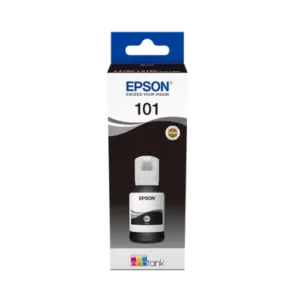
Buy the Epson 101 EcoTank Black Ink Bottle in Jordan from RMZTEK, with delivery all over Jordan and support on WhatsApp.
Compatible Printers
EcoTank L14150 EcoTank L4150
EcoTank L4150 EcoTank L4156
EcoTank L4160 EcoTank L4260
EcoTank L6160 EcoTank L6170
EcoTank L6176 EcoTank L6190
EcoTank L6270 EcoTank L6290
Epson 101 EcoTank Black Ink Bottle – Key Features
- Black ink – Epson 101 series
- 127 ml bottle – Refills EcoTank tanks
- EcoTank – For 101-series printers
- High page yield – Low cost per page
How to Use the Epson 101 EcoTank Black Ink Bottle
The Epson 101 EcoTank Black Ink Bottle is made for Epson EcoTank printers that use Epson 101 series ink. EcoTank printers work with refillable ink tanks instead of cartridges: when a colour runs low, you simply refill its tank directly from the bottle. This bottle-based system is one of the main reasons EcoTank printers have a much lower cost per page than traditional cartridge printers, which makes them a smart choice for homes, students, schools and busy offices in Jordan.
Check compatibility before you order
Epson uses different ink numbers for different EcoTank models, and the bottles are not interchangeable between series. Before buying, check the ink number printed on your printer’s ink tanks, on the bottles that came with the printer, or in the printer manual. If you are not sure which ink your printer needs, send us your printer model on WhatsApp and our team will confirm the right ink before you place your order.
How to refill your EcoTank printer
Always follow the refill steps in your printer’s manual, as they can differ slightly between models. In general, the process looks like this:
- Switch the printer on and open the ink tank cover.
- Open the cap of the tank that matches the colour you are refilling.
- Remove the cap from the ink bottle and place the bottle on the matching tank.
- Let the ink fill the tank up to the upper line, then remove the bottle.
- Close the tank cap and the cover, and follow any instructions shown on the printer.
Tips for the best print quality
- Use the ink specified for your printer to protect the print head and get consistent colours.
- Refill each colour before it drops below the lower line on the tank.
- Print regularly. If the printer sits unused for a long time, run a nozzle check and a head cleaning from the printer menu or software.
- Store bottles upright and tightly closed, in a cool place away from direct sunlight.
Frequently asked questions
Can I use ink from a different series in my printer?
No. Use only the ink number specified for your printer. Each EcoTank series has its own bottle design and ink formula, and using the wrong ink can affect print quality or damage the printer.
How long does one Epson 101 EcoTank Black Ink Bottle bottle last?
It depends on what you print and how often. EcoTank bottles are designed for high page yields, so most users refill far less often than they would replace traditional cartridges.
Do you deliver ink all over Jordan?
Yes. RMZTEK delivers all over Jordan. Order the Epson 101 EcoTank Black Ink Bottle online, or contact us on WhatsApp if you have any questions about your printer.
Why buy the Epson 101 EcoTank Black Ink Bottle from RMZTEK?
RMZTEK is an online store in Jordan specialising in printers, barcode solutions, POS equipment, labels, ink and spare parts. When you order the Epson 101 EcoTank Black Ink Bottle from us, you get clear product information, competitive prices, delivery all over Jordan and real people to talk to on WhatsApp before and after your purchase.
Whether you run a small shop, a restaurant, a busy warehouse, an office or a growing company, our team helps you choose the right equipment and supplies, answers your technical questions, and makes sure you receive the right product the first time, so your business keeps running smoothly every day.
Printers Compatible with the Epson 101 EcoTank Black Ink Bottle
The Epson 101 EcoTank Black Ink Bottle is used by these Epson EcoTank printers available at RMZTEK:
If your printer is not listed, check the ink number on your printer’s tanks or send us your model on WhatsApp.
الطابعات المتوافقة: Epson EcoTank L6270، Epson EcoTank L14150. إذا لم تجد طابعتك، راسلنا على واتساب لنتأكد من التوافق.
Buy the Epson 101 EcoTank Black Ink Bottle in Jordan
Order the Epson 101 EcoTank Black Ink Bottle online from RMZTEK and get delivery all over Jordan. Browse more Toner & Ink or all Epson products in our store. Need help choosing? Contact us on WhatsApp and our team will help you.
For full technical documentation, visit the official Epson website.
سعر Epson 101 EcoTank Black Ink Bottle في الأردن
اشترِ Epson 101 EcoTank Black Ink Bottle من RMZTEK في الأردن. حبر Epson EcoTank: حبر مخصص لطابعات Epson EcoTank التي تستخدم حبر سلسلة 101، ويتميّز بتكلفة طباعة منخفضة وألوان ثابتة. نوفّر التوصيل لجميع محافظات المملكة، مثل عمّان والزرقاء وإربد والعقبة، مع خدمة عملاء ودعم فني عبر واتساب.
مميزات Epson 101 EcoTank Black Ink Bottle
- مناسب لطابعات EcoTank التي تستخدم حبر 101
- تعبئة سهلة مباشرة في خزانات الحبر
- عدد صفحات كبير وتكلفة منخفضة للصفحة
- تأكّد من رقم الحبر المكتوب على طابعتك قبل الطلب، أو راسلنا على واتساب
أسئلة شائعة
هل يوجد توصيل لكل مناطق الأردن؟
نعم، نوصّل Epson 101 EcoTank Black Ink Bottle لجميع محافظات الأردن، ويتواصل معك فريقنا لتأكيد الطلب وموعد التوصيل.
ما هي طرق الدفع المتاحة؟
يمكنك اختيار طرق الدفع الظاهرة عند إتمام الطلب، ومنها الدفع عند الاستلام.
كيف أتأكد أن المنتج مناسب لي؟
أرسل لنا موديل جهازك أو احتياجك على واتساب، وسيساعدك فريقنا في اختيار المنتج المناسب قبل الطلب.
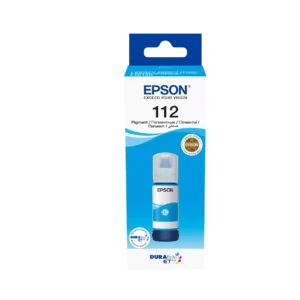
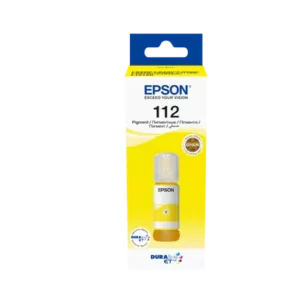
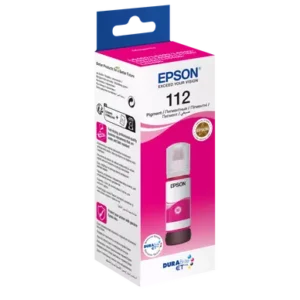
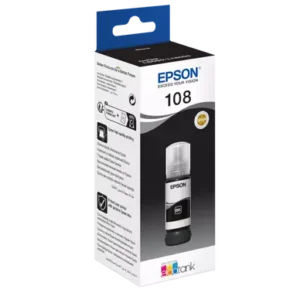
See the ink table in our guide: Best Epson EcoTank Printer in Jordan · دليل طابعات ابسون وأحبارها
Reviews
There are no reviews yet.